Memory
Updated 2026-03-30
Table of contents
Scribelet's AI reads your notes and builds a persistent memory of the facts, people, projects, and preferences it finds. This memory feeds into every AI feature: chat answers cite it, verification checks against it, and background tasks use it for context.
How memories are created
Memories are extracted automatically whenever you save a note. The AI scans the content for persistent facts (things worth remembering long-term) and creates suggestions for you to review.
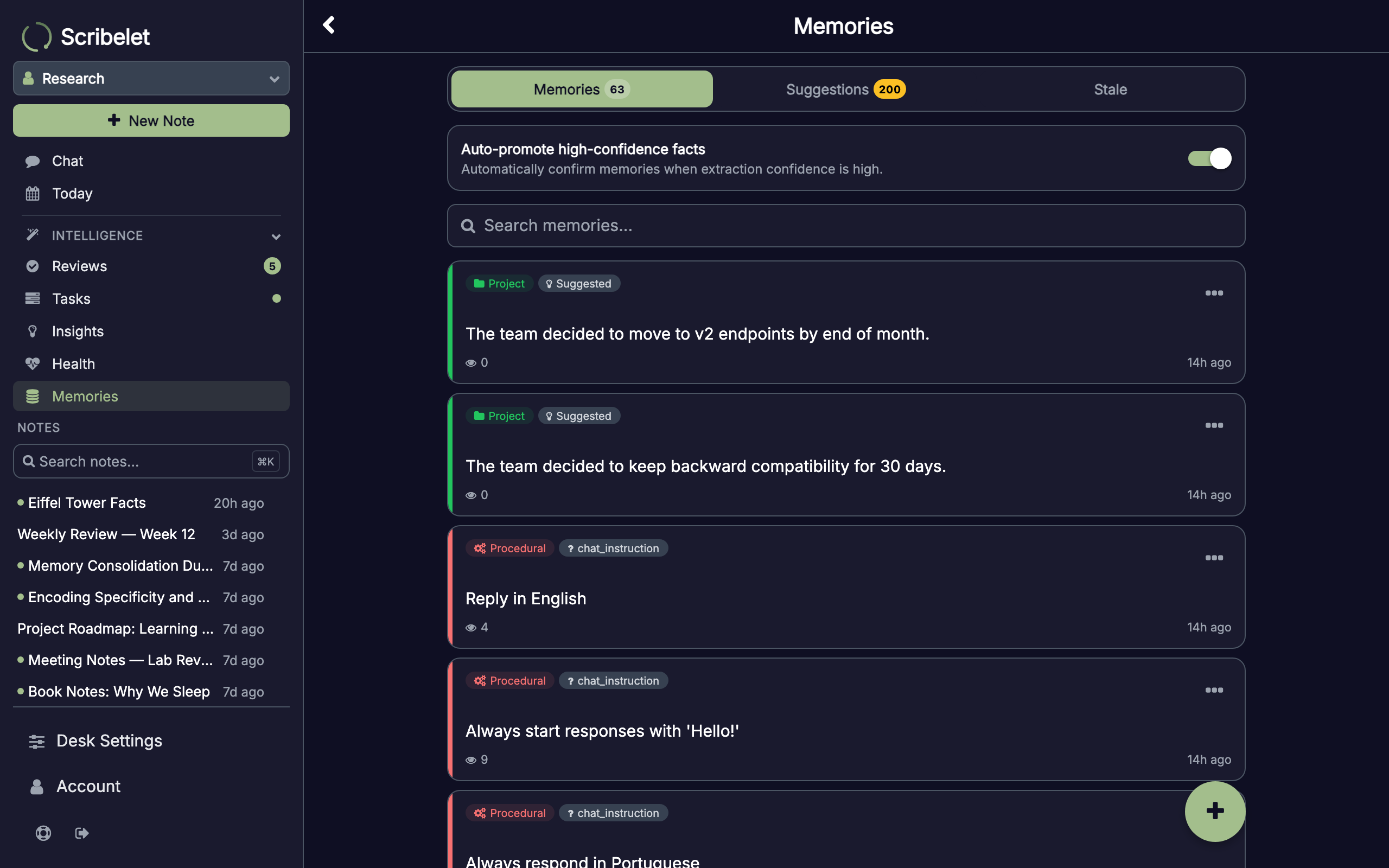
Each memory is categorized automatically:
- Person: named individuals and their roles
- Project: products, initiatives, and ongoing work
- Term: domain-specific vocabulary and definitions
- Preference: your workflows, conventions, and preferences
- Other: general persistent facts
You can also create memories manually from the Memories screen using the + button.
Reviewing suggestions
When the AI extracts a new fact, it appears as a suggestion rather than being saved immediately. This gives you control over what the AI remembers.
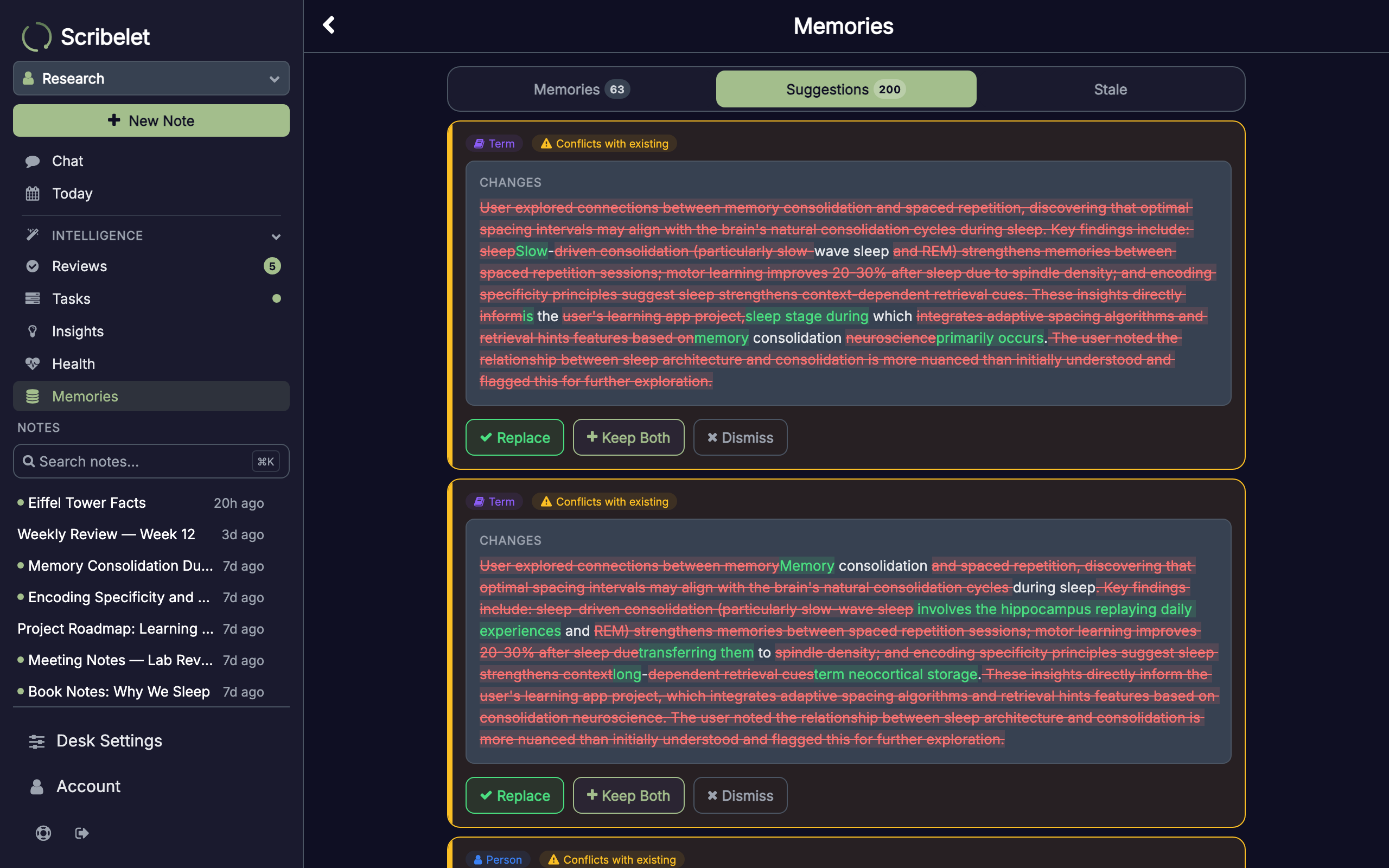
For each suggestion, you can:
- Approve: saves it as a confirmed memory
- Dismiss: rejects it permanently
- Keep Both: if the suggestion conflicts with an existing memory, saves both
Contradiction detection
When two memories say conflicting things (like different budget figures for the same project, or two people listed as the same team's lead) Scribelet detects the contradiction and asks you to resolve it. You can find detected contradictions in the Health screen under the Intelligence section of the sidebar.
Resolution options:
- Keep A or Keep B: delete one, keep the other
- Merge: combine both into a single corrected memory
- Keep Both: mark them as intentionally different (e.g. different time periods)
- Dismiss: acknowledge the conflict without resolving it
Procedural memory
Beyond facts, the AI also learns how you prefer to work. If you tell it "always respond in bullet points" or "use formal tone," it extracts these as procedural memories, behavioral rules that apply to every future interaction.
Procedural memories are injected into every AI conversation automatically, so the AI follows your preferences without being reminded.
Episodic memory
Scribelet summarizes your chat conversations into episode memories: short recaps of what was discussed, what decisions were made, and what the outcome was. These let the AI recall past conversations when they become relevant again.
Episodes are generated automatically when a conversation goes idle. They appear in the Memories screen under the Episode category.
Knowledge graph
Memories don't exist in isolation. The AI builds a knowledge graph of relationships between them: "Alice works on Project X," "Project X uses React," "React is a term defined as..."
These connections mean that when the AI retrieves one relevant memory, it also pulls in related facts through the graph. This produces richer, more contextual answers in chat and verification.
Stale memory review
Over time, some memories become outdated. The Stale tab on the Memories screen surfaces memories that haven't been accessed recently, so you can confirm they're still accurate or delete them.
You can adjust the staleness threshold (30, 60, 90, 180, or 365 days) and use bulk delete to clean up multiple outdated memories at once.
Memory in action
Memories power several features across Scribelet:
- AI Chat: the AI cites specific memories when answering questions, shown as colored chips below each response
- Verification: background checks use your memories as additional context when fact-checking notes
- Background tasks: the daily digest, auto-linker, and other scheduled tasks all reference your memory for better results