Quick Start
Updated 2026-03-30
Table of contents
From zero to your first AI-powered chat in five minutes. You'll create an account, write a note, and ask AI a question about it. Free to start, or try Pro free for up to 14 days.
Sign up
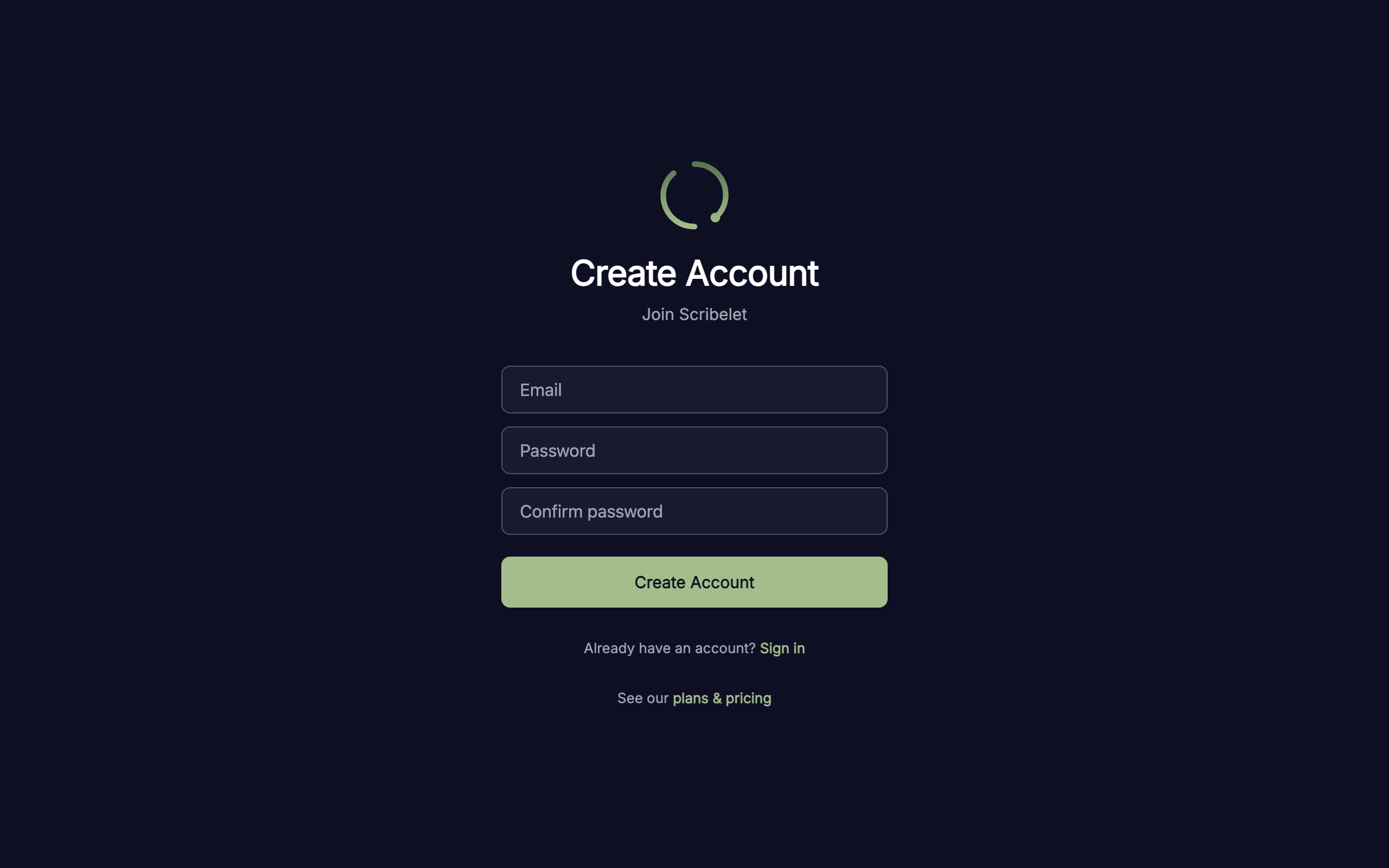
Head to app.scribelet.app and create a free account. Enter your email address, choose a password, and confirm it. You'll receive a verification email; click the link to activate your account.
Meet your workspace
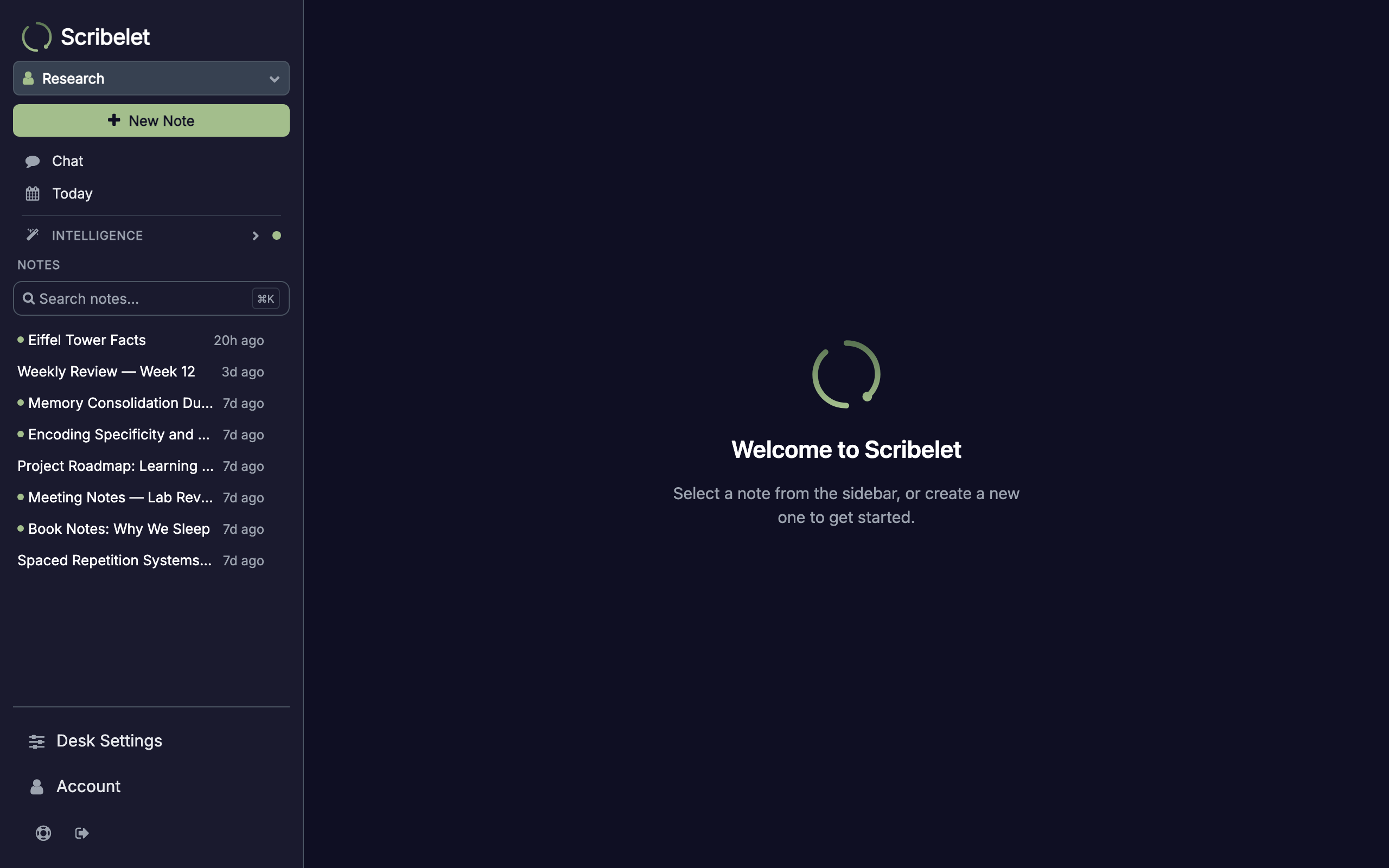
After signing in, you land on the Notes tab. Scribelet automatically creates a personal desk for you, named after your email. On desktop, the sidebar gives you quick access to Notes, Chat, and Intelligence. On mobile, use the tab bar at the bottom.
A five-step onboarding tour walks you through the key features. Follow it for a quick orientation, or dismiss it and explore on your own.
Create your first note
Click + New Note in the sidebar (or tap the + button on mobile) to open the note editor. Type a title, then write your content in the rich text editor. When you're done, tap Save.
Chat with your notes
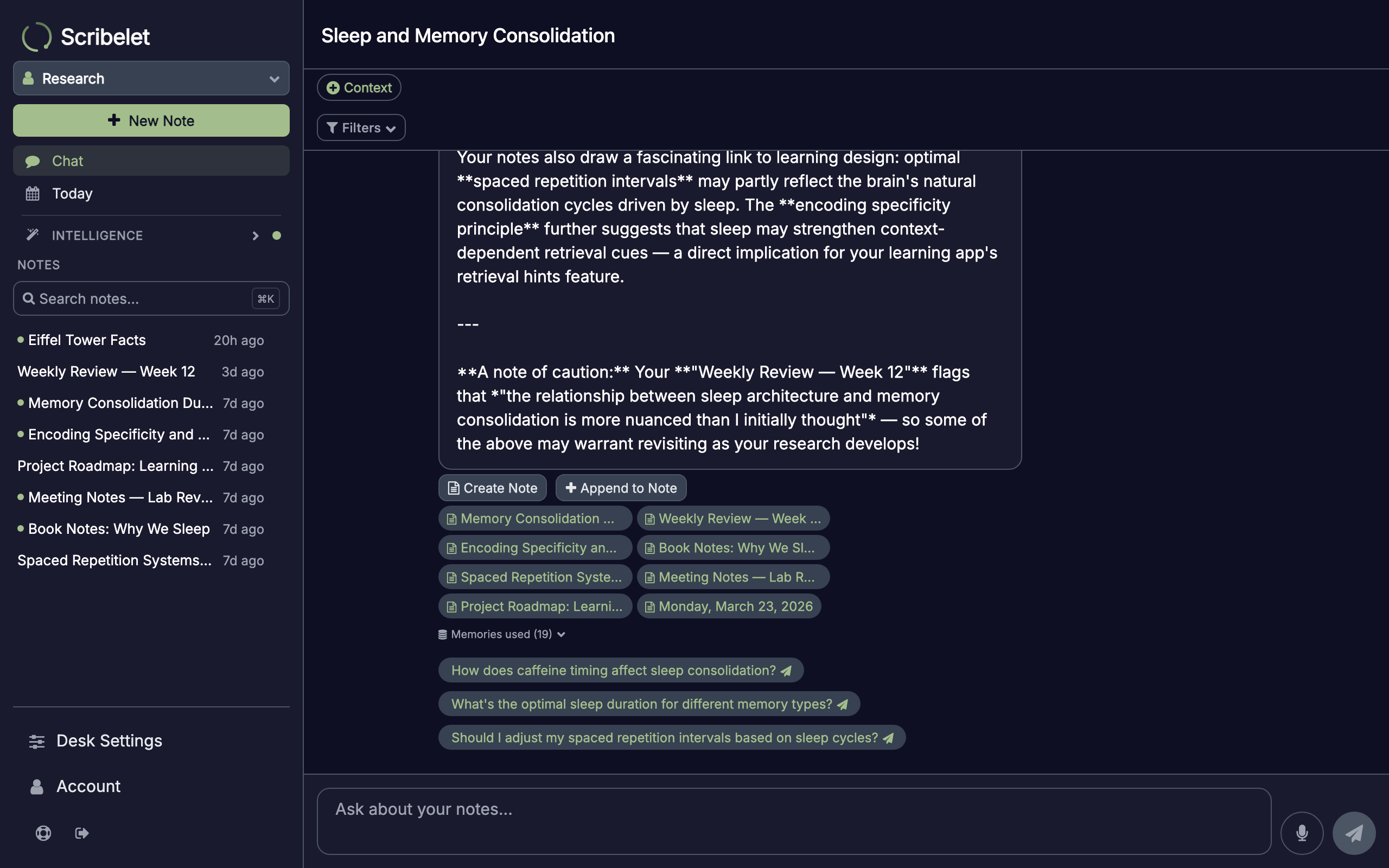
Navigate to the Chat tab and tap New Chat. Type a question or tap one of the suggestion chips. Scribelet searches your notes, reads the relevant ones, and gives you a cited answer grounded in your own knowledge base.
Next steps
You've created your first note and tried AI chat. Here's what to explore next:
- Core Concepts -- desks, notes, wikilinks, tags, and AI memory explained
- What is Scribelet? -- the full feature tour covering verification, auto-linking, voice notes, and more
- Background checks -- let AI verify the facts in your notes against the web
- Voice notes -- record audio and get a structured note with headings, tags, and action items
- Daily digest -- automated morning briefings about connections across your workspace
- Import -- bring your existing notes from Obsidian or Evernote