Verification
Updated 2026-03-30
Table of contents
Scribelet can fact-check your notes against the web and sources you trust. When the AI finds something outdated or incorrect, it suggests specific changes with citations, you decide whether to apply them.
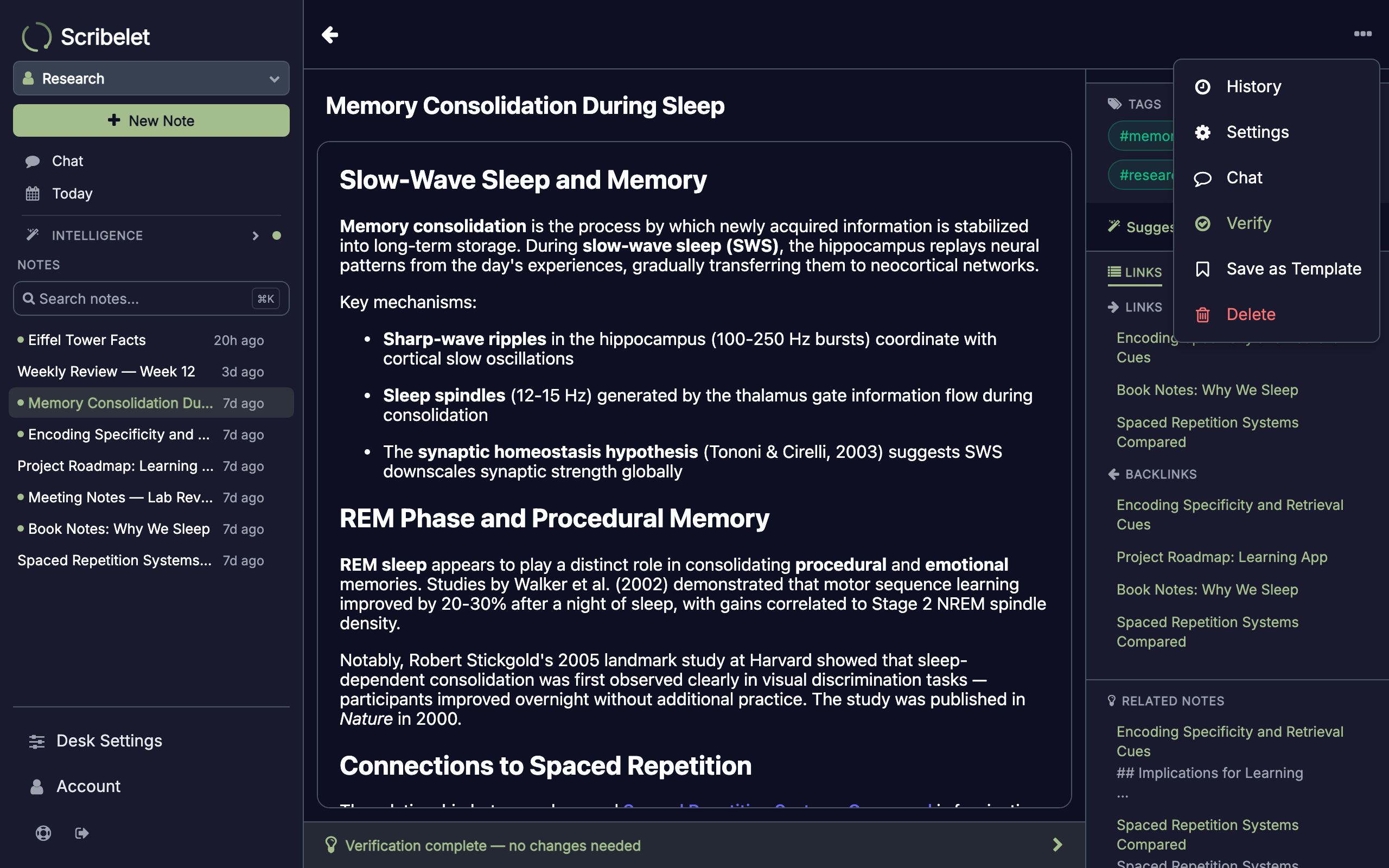
On-demand verification
Open any note, tap the kebab menu (three dots) in the top right, and select Verify. Scribelet analyzes your note's claims, searches for current information, and produces a suggestion if it finds something worth updating.
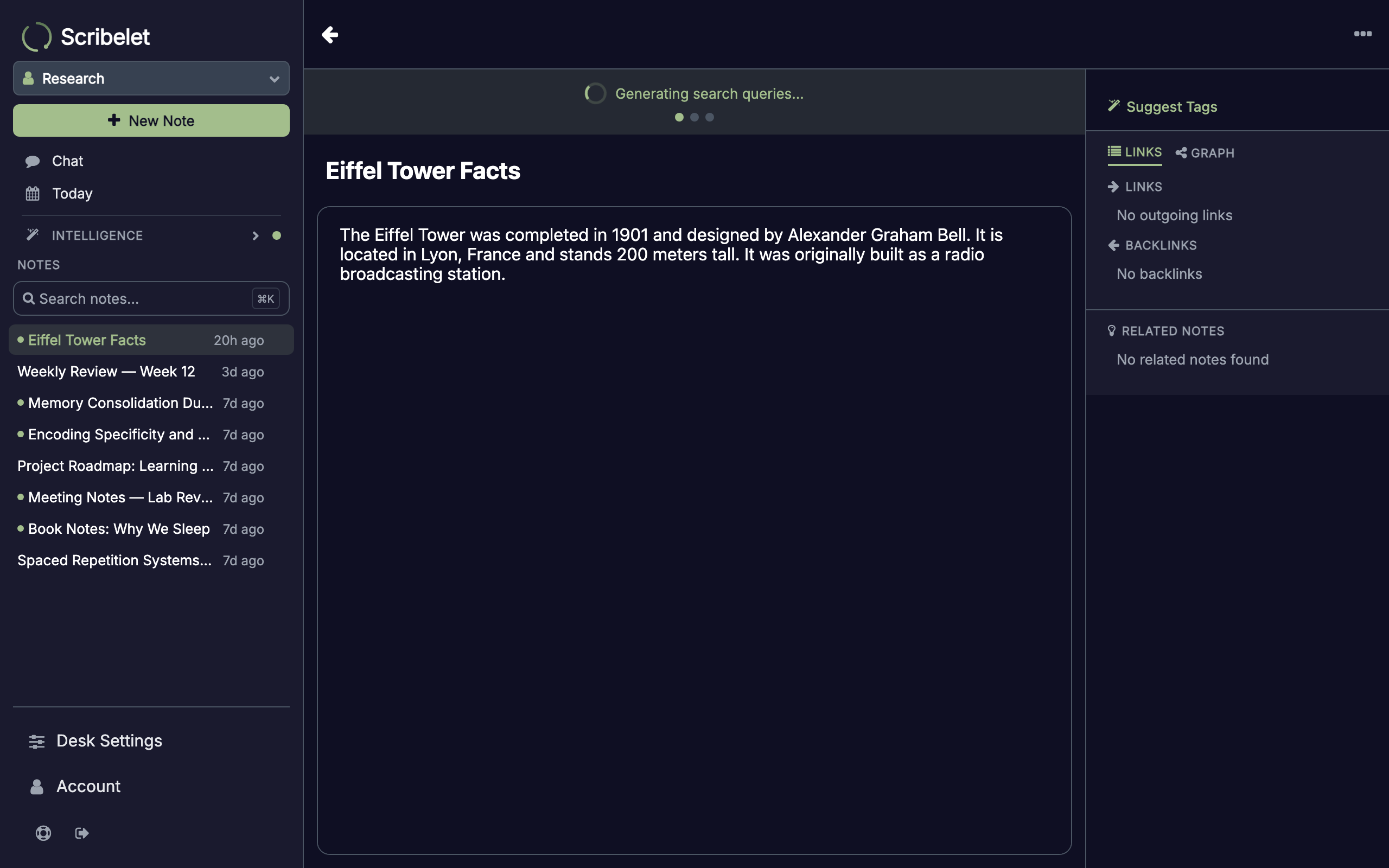
While verification runs, a progress banner appears at the top of the note showing each stage: fetching sources, generating search queries, searching the web, and analyzing results.
Reviewing suggestions
When verification finds something to update, a banner appears at the bottom of your note. Tap it to see the full suggestion.
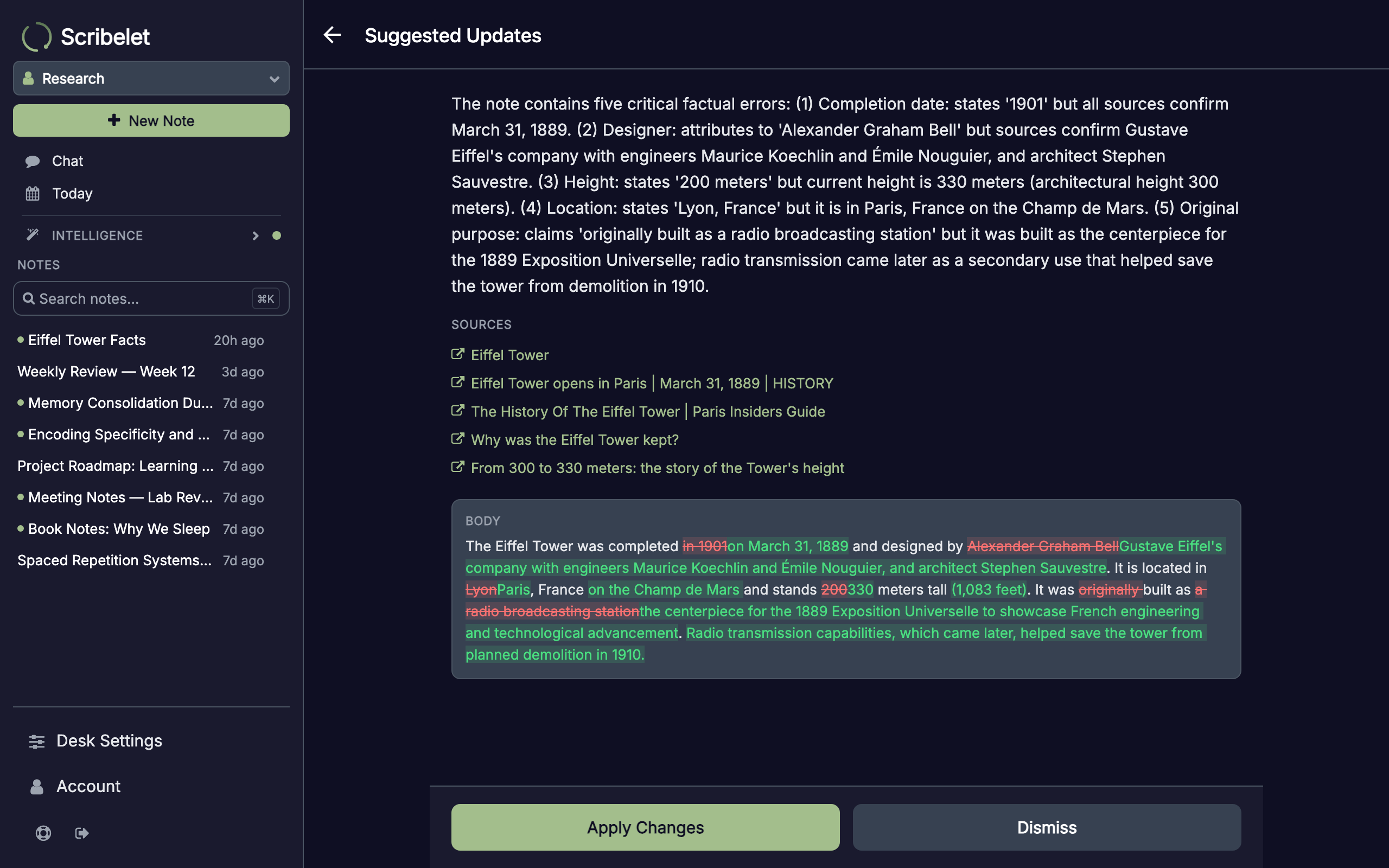
The suggestion screen shows:
- Reasoning, why the AI thinks a change is needed
- Sources, clickable links to the evidence it found
- Diff view, a side-by-side comparison of your current text and the proposed changes, for both title and body
You have two choices:
- Apply Changes, accepts the suggestion and updates your note
- Dismiss, rejects the suggestion. You can optionally explain why (e.g. "This is intentional" or "I'm using the older terminology on purpose"). Scribelet remembers your reasoning so it won't suggest the same change again.
Background checks
Instead of verifying manually each time, you can set a note to be checked automatically on a schedule. Open the kebab menu and select Settings to configure background checks.
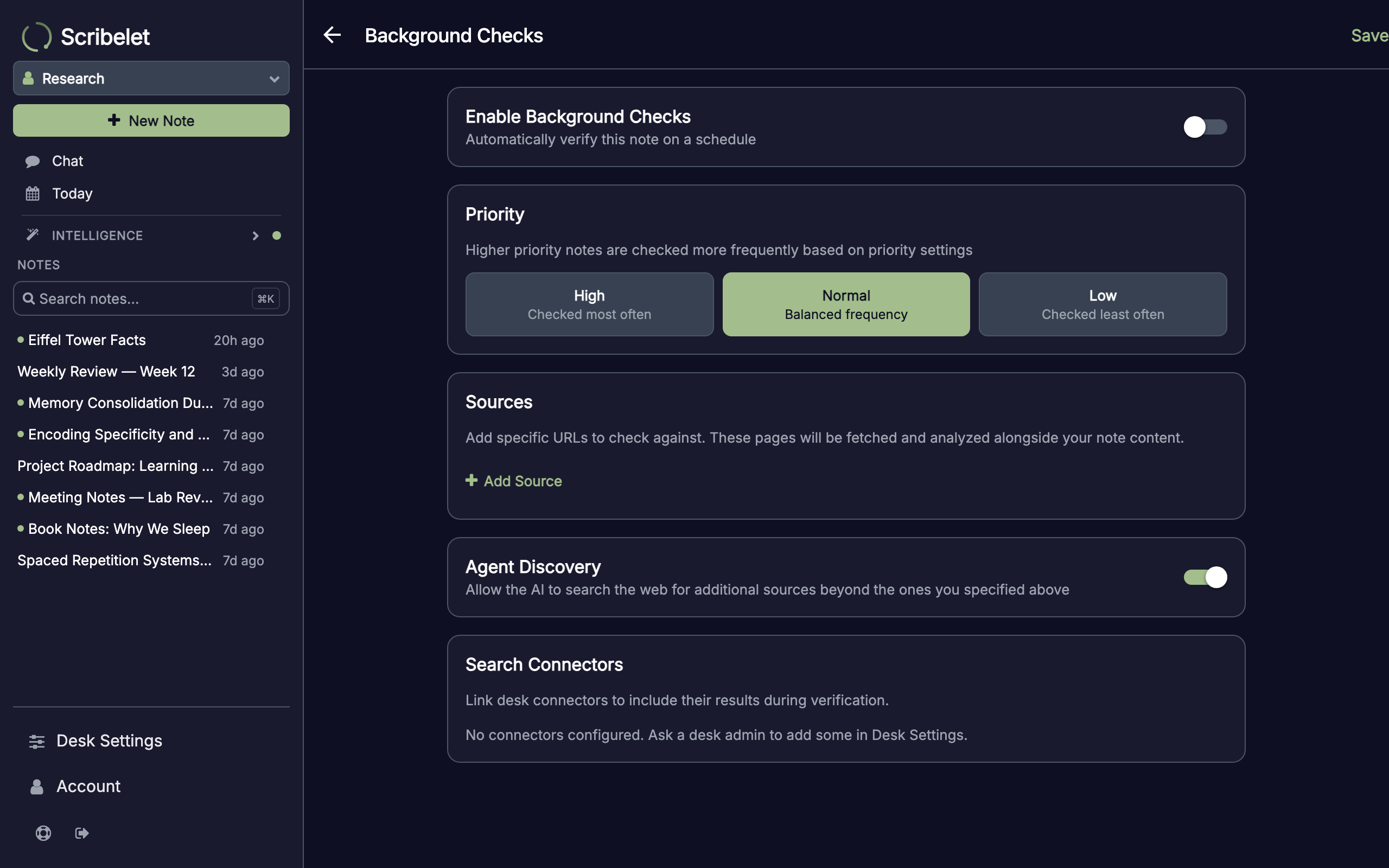
Toggle Enable Background Checks to turn on scheduling. Scribelet will periodically re-verify the note and notify you in the Reviews inbox when it finds something.
Priority levels
Choose how often a note gets checked:
- High, checked most frequently (ideal for reference material or rapidly changing topics)
- Normal, balanced frequency
- Low, checked least often (good for stable, rarely-changing content)
The estimated interval adjusts based on your priority choice. Scribelet also adapts automatically: if recent checks keep finding changes, it checks more often.
Custom sources
Add specific URLs you want the AI to check against. These could be official documentation pages, research papers, or any authoritative source for the topic of your note. Each source is fetched and analyzed alongside the note content during verification.
Web search
The Agent Discovery toggle lets the AI search the web for additional sources beyond the ones you specify. When enabled, the AI generates targeted search queries based on the factual claims in your note, then cross-references the results. Disable this if you only want verification against your specific sources.
Review inbox
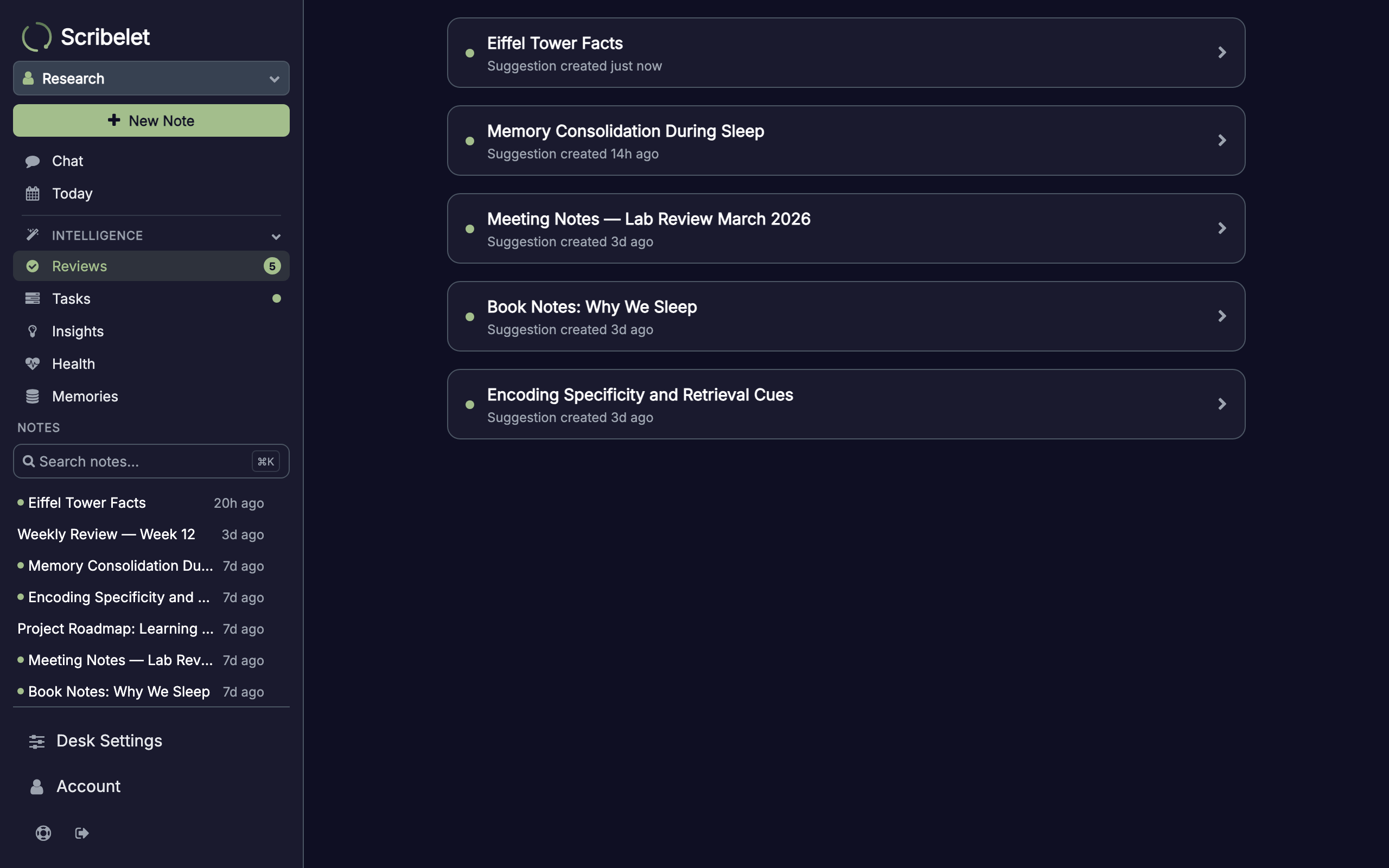
All pending suggestions from background checks appear in the Reviews screen, accessible from the sidebar. Each entry shows the note title and when the suggestion was created. Tap any item to review and accept or dismiss it.
How it works
Verification doesn't just run a web search. It follows a multi-step process:
- Context gathering, loads related notes (linked, tagged, or semantically similar) and your desk's AI memory for additional context
- Source fetching, retrieves content from any custom sources you've configured
- Query generation, if web search is enabled, the AI drafts targeted search queries based on the claims in your note
- Web search, executes queries and collects results
- Analysis, compares your note against all gathered evidence, preserving your original formatting while suggesting specific corrections
The AI distinguishes between your custom sources (treated as authoritative) and web search results (treated as supplementary). This means it weighs your trusted sources more heavily when making suggestions.
Tips for better results
- Be specific with custom sources, linking to the exact documentation page is more effective than a homepage URL
- Use high priority for living documents, notes about fast-moving topics (API docs, research findings) benefit from frequent checks
- Review dismissal reasons, when you dismiss a suggestion with a reason, the AI learns your preferences and avoids repeating similar suggestions
- Check the Reviews inbox regularly, background check suggestions wait for your review and won't auto-apply