Weekly Insights
Updated 2026-03-31
Table of contents
Scribelet generates a Weekly Insight for each desk every week. It analyzes the notes you created and updated, identifies topics and patterns, discovers connections between notes, and suggests what to work on next. The analysis builds on your desk's AI Memory and embeddings. Everything happens automatically for Pro desks.
How it works
Each week, Scribelet runs a three-step analysis on your desk's notes:
- Gather notes updated during the past week, including their tags and content
- Discover connections between notes using semantic similarity from your desk's embeddings
- Generate the insight with an AI model that produces a structured summary: topics, emerging patterns, connections, and actionable suggestions
The result is a single insight covering Monday through Sunday. You need at least 3 notes updated in the period for the analysis to run.
Viewing your insights
Open Insights from the sidebar. You'll see a list of past insights ordered by date, with an activity summary card at the top showing pending link suggestions and other background task results.
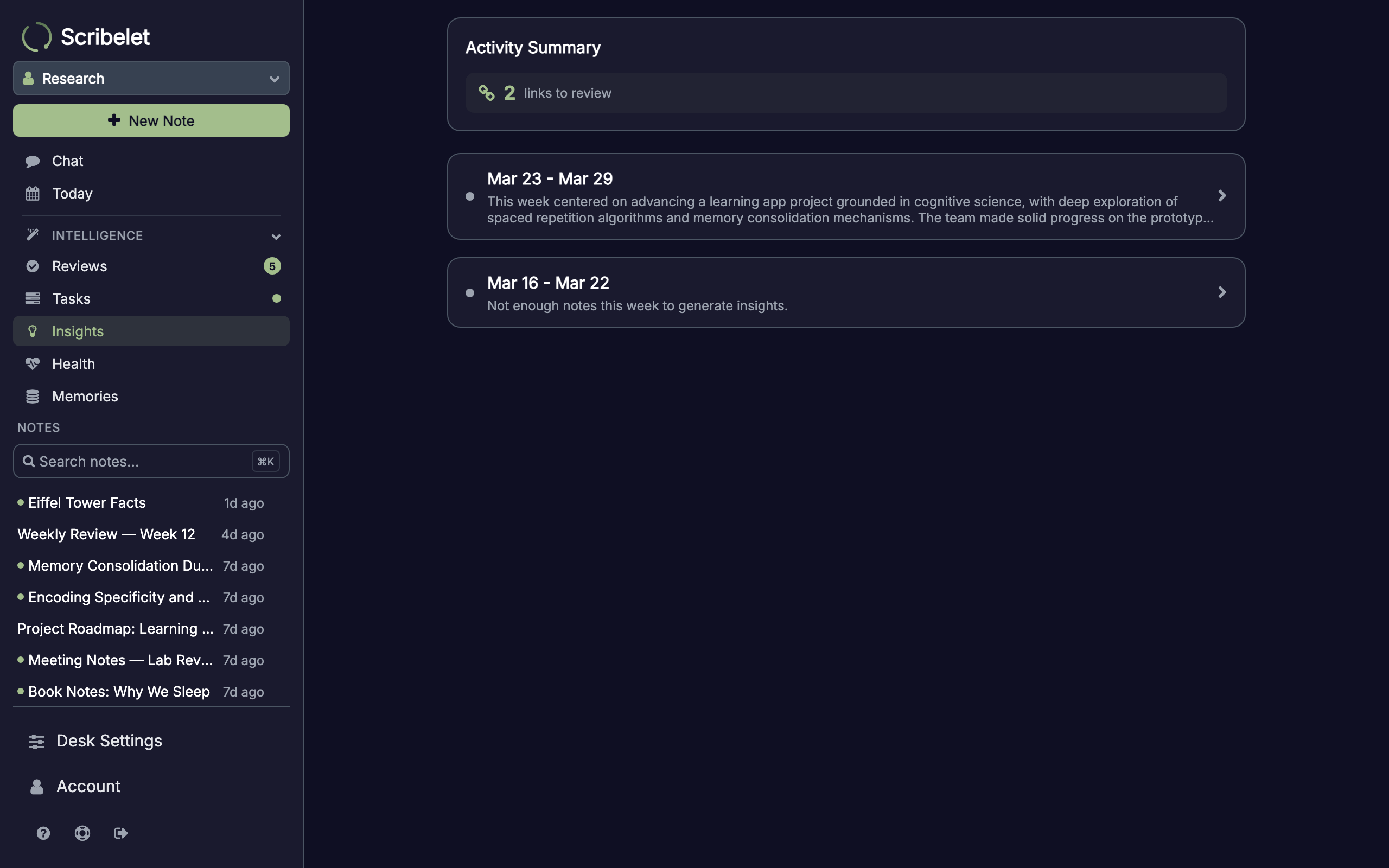
Unread insights show a green dot. Tap an insight to open the full detail view.
Reading an insight
The detail view breaks down the week's analysis into sections:
- Summary: a 2-3 sentence narrative overview of your week
- Topics: the main subjects across your notes, with note counts
- Emerging Patterns: recurring themes or shifts in focus the AI detected
- Connections: pairs of notes that are semantically related, with explanations. Tap a note title to jump to it.
- Suggestions: actionable recommendations like consolidating related notes or expanding a topic
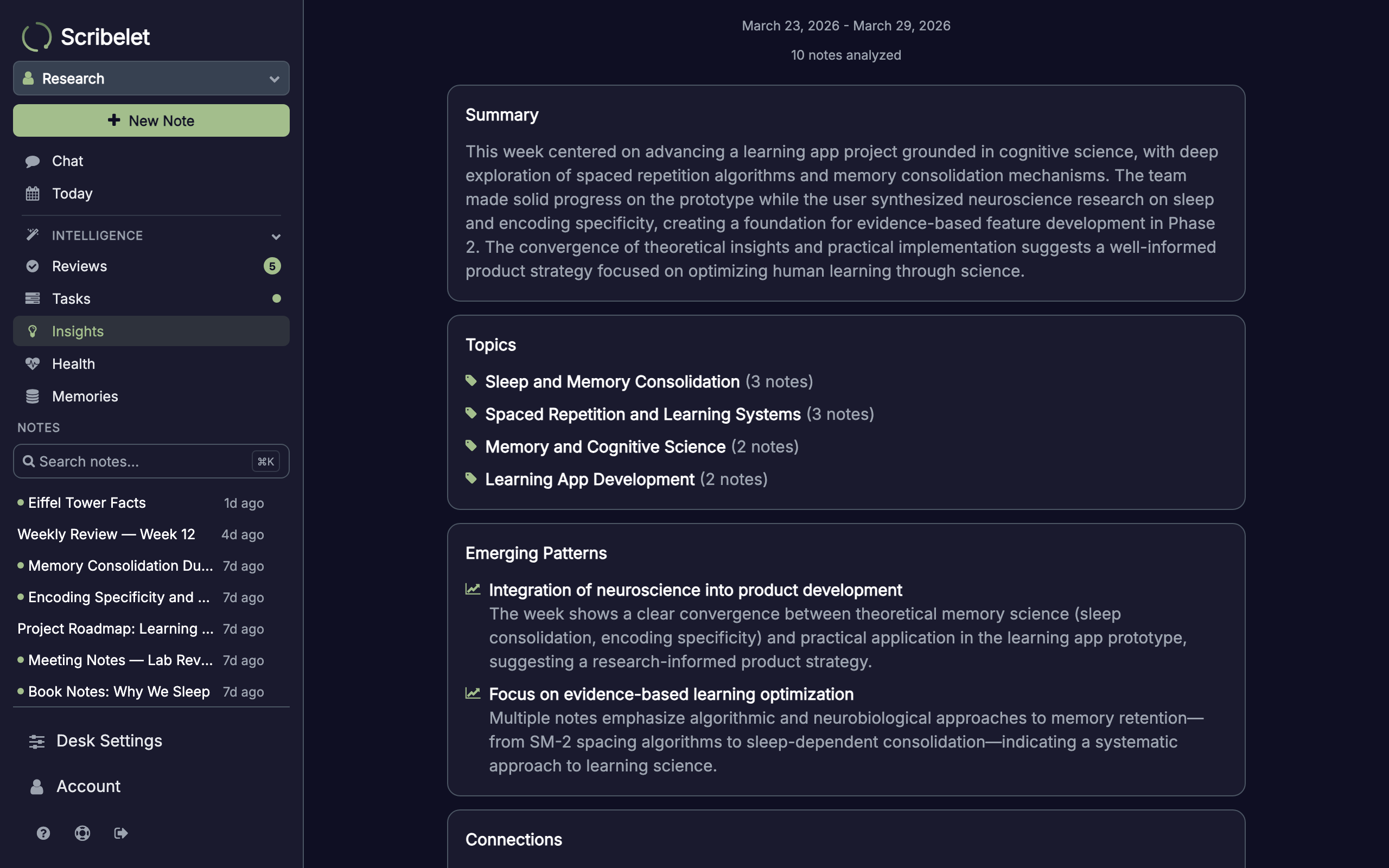
Insights are automatically marked as read when you open them.
Configuring preferences
Go to Desk Settings > Automation tab to find the Weekly Insights section. You can configure:
- In-app notifications: toggle whether unread insights show a badge in the sidebar
- Email digest: receive the insight summary by email when it's ready
- Preferred day: choose which day of the week to generate the insight (defaults to Monday)
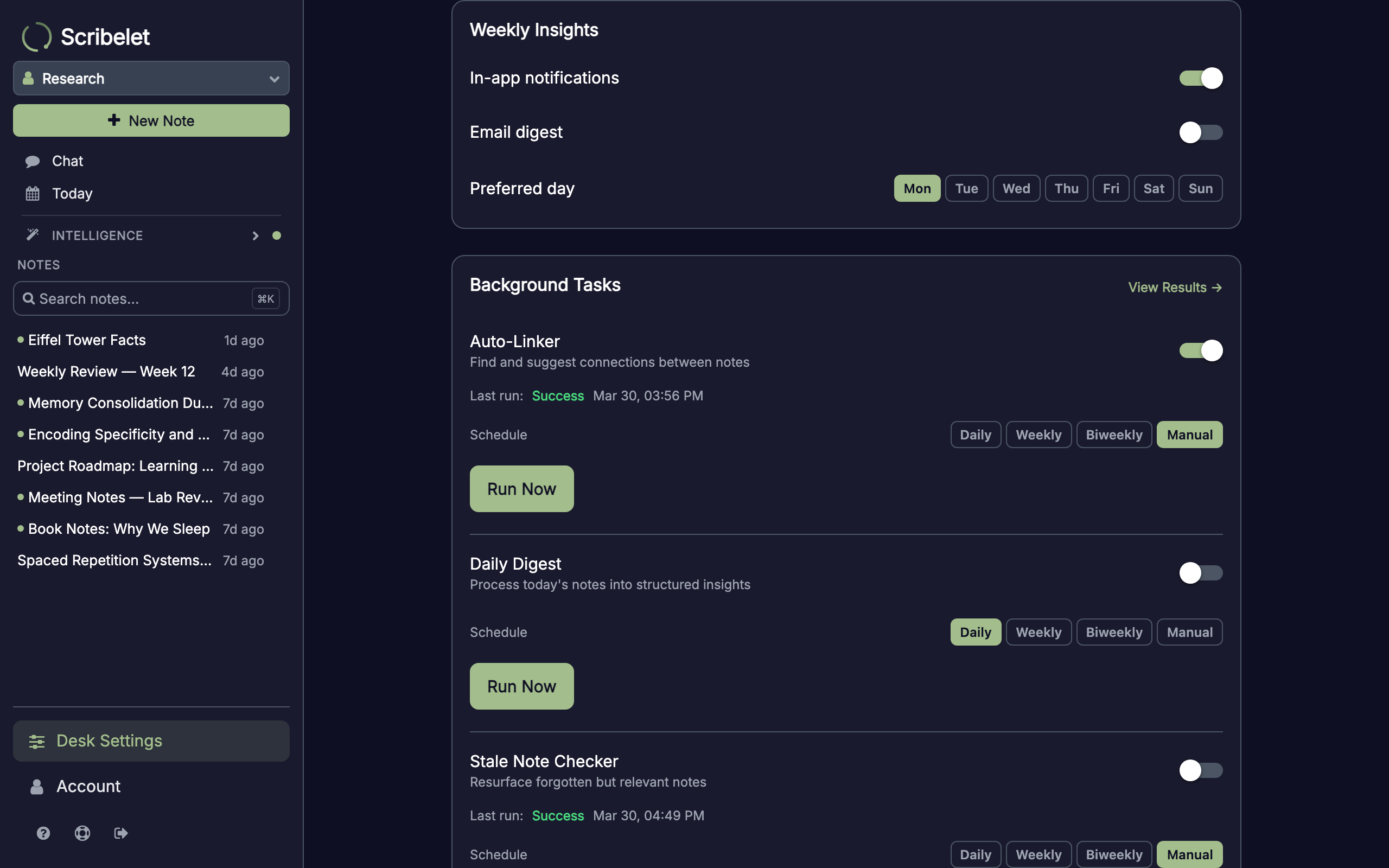
Email digests
When email digest is enabled, you'll receive a formatted email with the insight's summary, top topics, discovered connections, and suggestions. The email includes a link to view the full insight in the app.
What makes a good insight
Insights are most useful when your desk has a mix of note types: meeting notes, research, daily journals, project plans. The more varied your notes, the more interesting the patterns and connections the AI can surface.
If you only have a few notes in a given week, the insight will be brief or skipped entirely. The minimum is 3 notes. Use AI Chat to explore topics surfaced in your insights further.